Huygens Box Controller
Project Overview:
User’s reported the Huygens workflow cumbersome, so I created an automated workflow that allows the user to control each of the important elements of the simulation.
It is written entirely in a JavaScript ECMA based language specific to XFdtd.
The controller allows users to save or load a configuration of their Huygens simulation inside of the project directory. The configuration file includes the following parameters:
- Simulation Parameters: Specify the simulation frequency and farzone reference point.
- Huygens Box Parameters: Specify the box size, sources, and other parameters.
- Geometry Parameters: Specify the geometry assemblies to be included and excluded from the simulation.
- Visualization Options: A visualization element to inspect box positioning.
- Save/Load Configuration: Save or load the configuration file for future use.
- User Interface: A user-friendly interface for easy interaction with the simulation parameters.
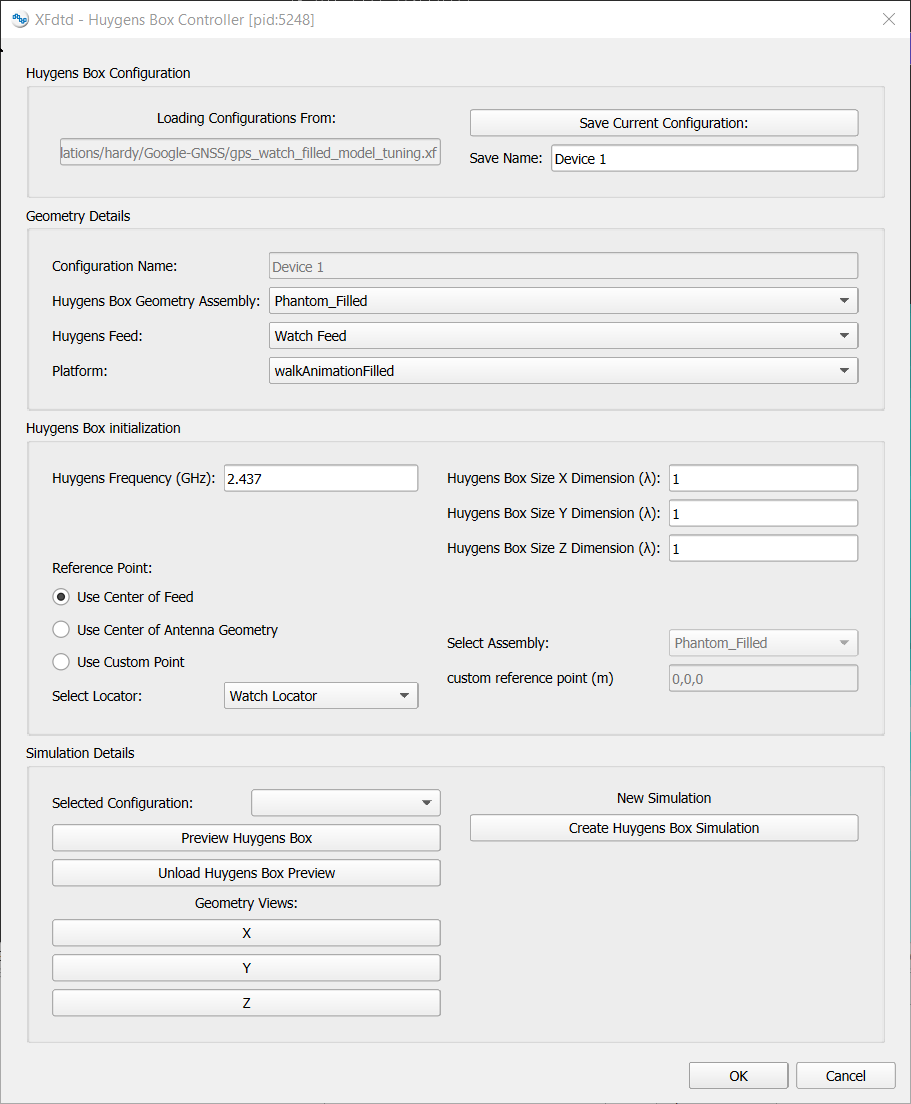 Figure 1: The Huygens Box Controller UI. The user can specify the simulation parameters, geometry assemblies, and visualization options. The controller allows for easy saving and loading of configurations, streamlining the simulation process.
This project was built entirely inside of XFdtd, Remcom’s electromagnetic simulation software.
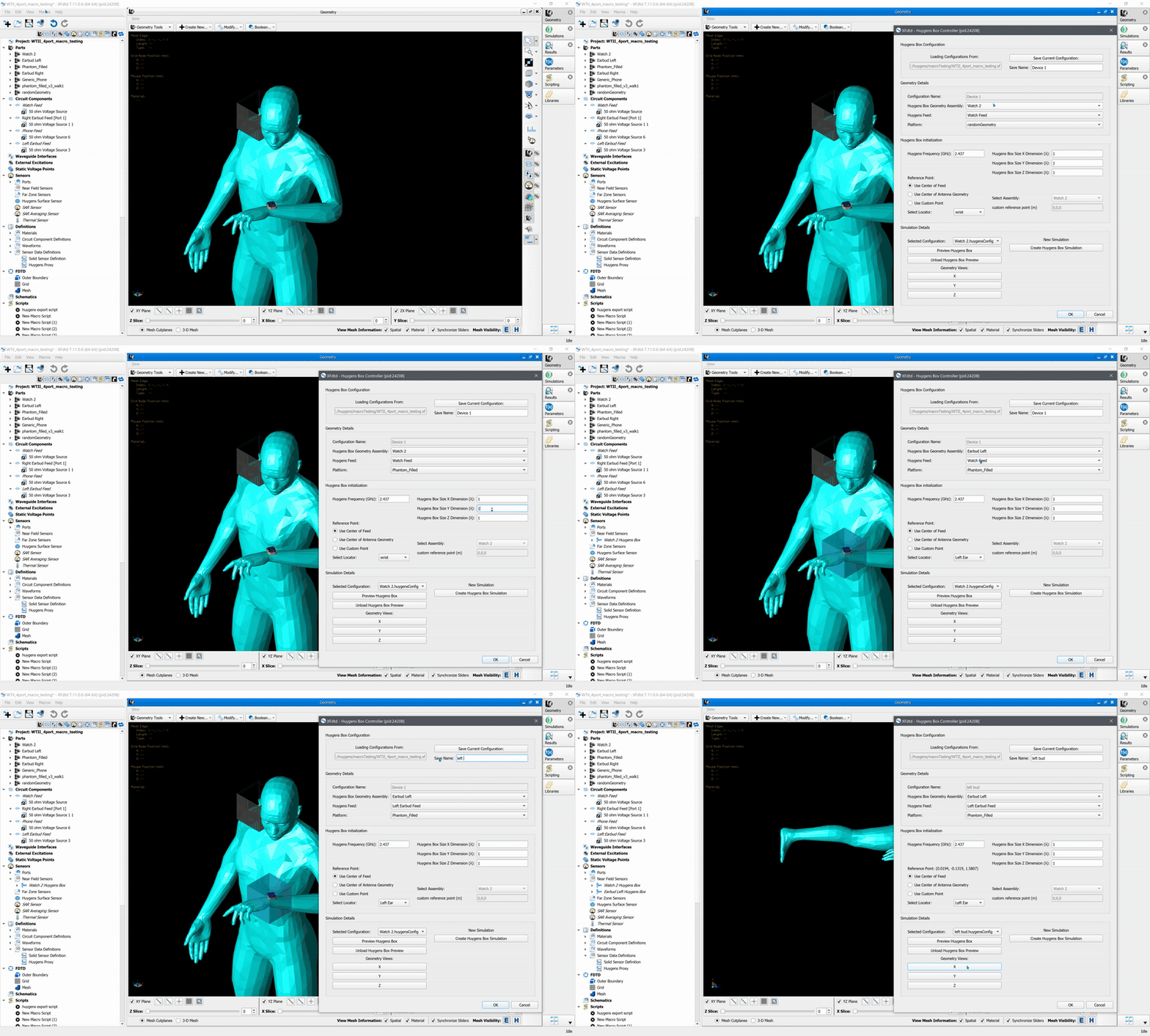 Figure 2: The Huygens Box Controller in action. The user can interact with the simulation parameters and visualize the results in real-time.